
Social Champ’s Reviews & Reputation Analytics helps you monitor and manage reviews from multiple review platforms, including Google Reviews, Apple App Store, Google Play Store, and G2, all from a single dashboard.
Instead of visiting each platform separately, you can view, analyze, and track customer reviews in one centralized location, making it easier to stay on top of your brand reputation and customer feedback.
Accessing Reviews & Reputation Analytics
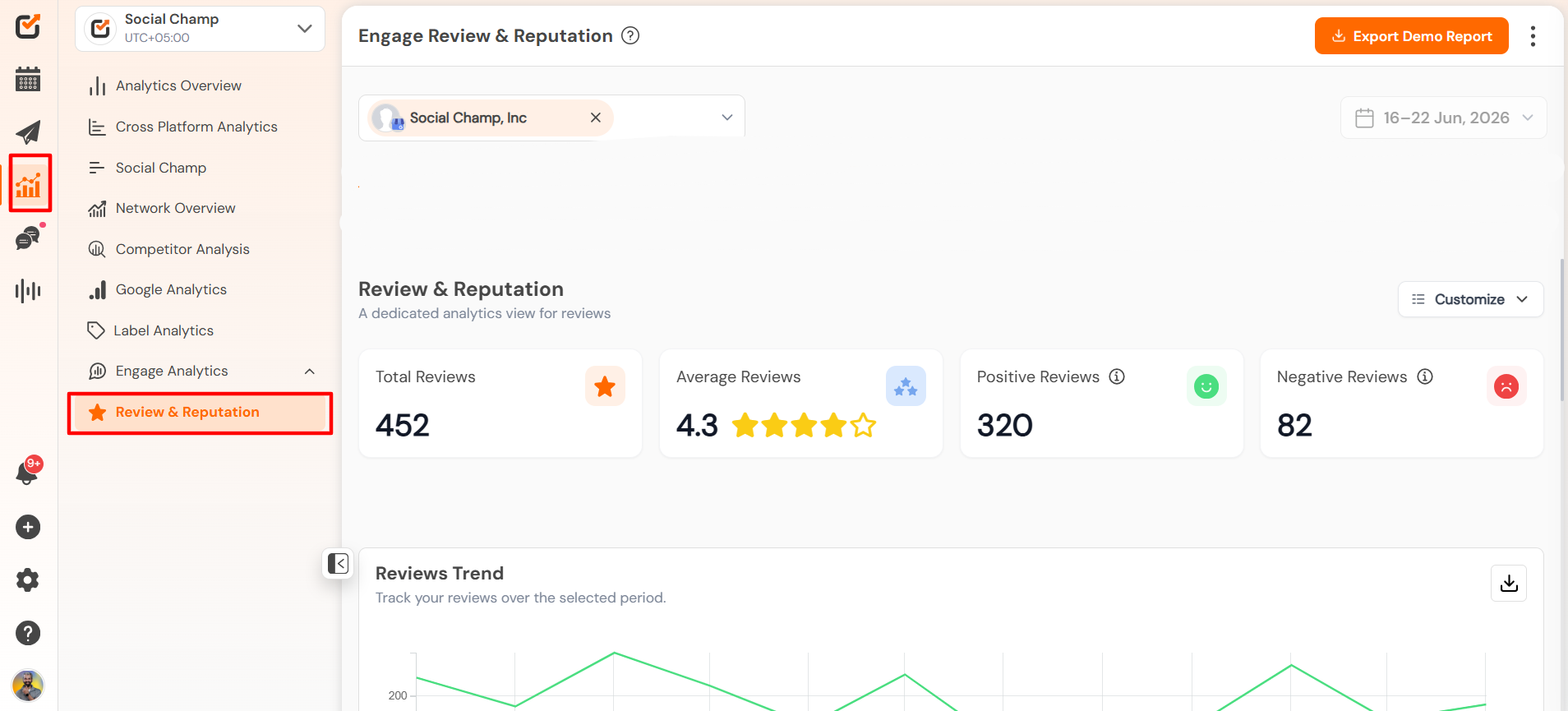
- Log in to your Social Champ account.
- Navigate to the Analytics section from the left-hand navigation panel and select Reviews & Reputation Analytics from the available options.
Selecting Accounts and Date Range
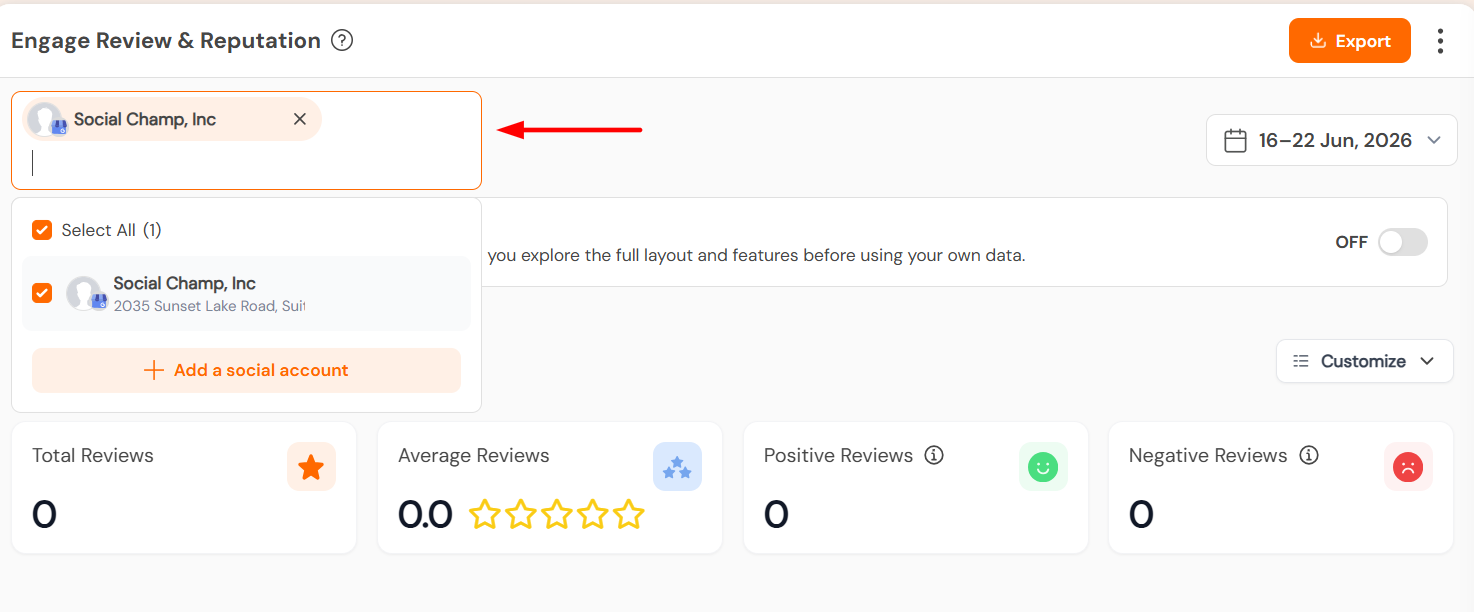
- Use the account selector in the top-left drop-down to choose the review platforms you would like to analyze.
Also Select the date range from the top right drop-down.
Analytics Overview
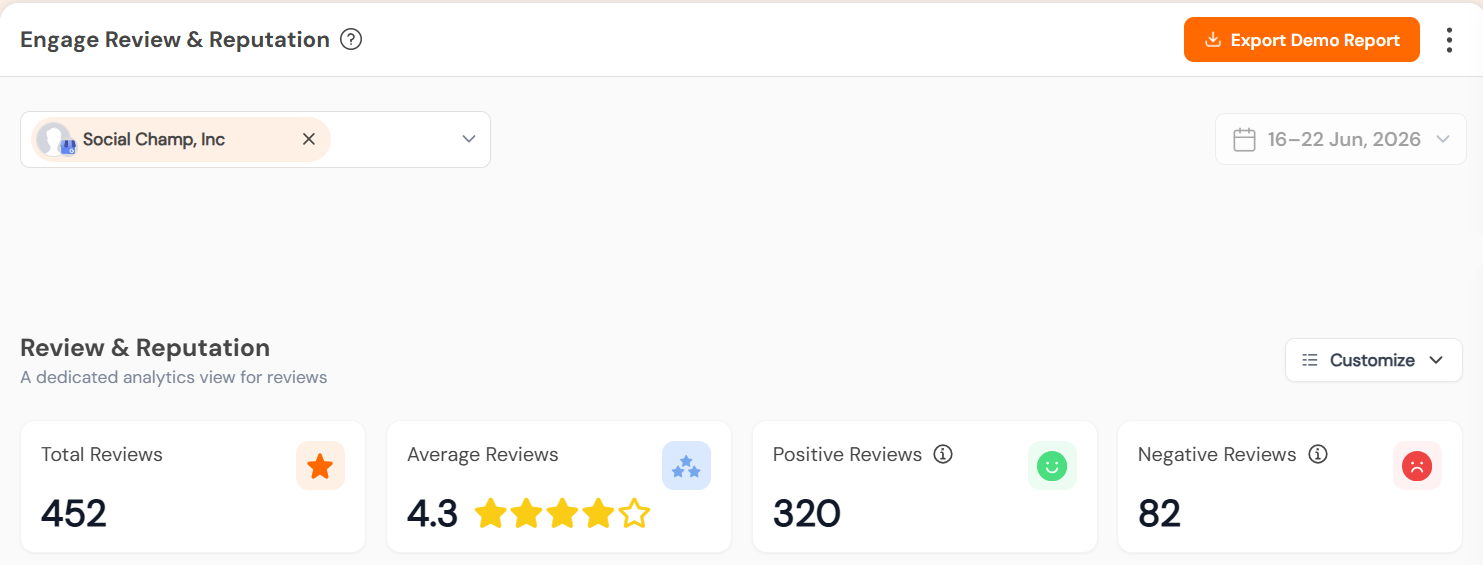
The dashboard provides a overview of your reviews, including:
- Total Reviews
- Average Rating
- Positive Reviews
- Negative Reviews
These metrics help you quickly understand overall customer sentiment during the selected period.
 Review Trends
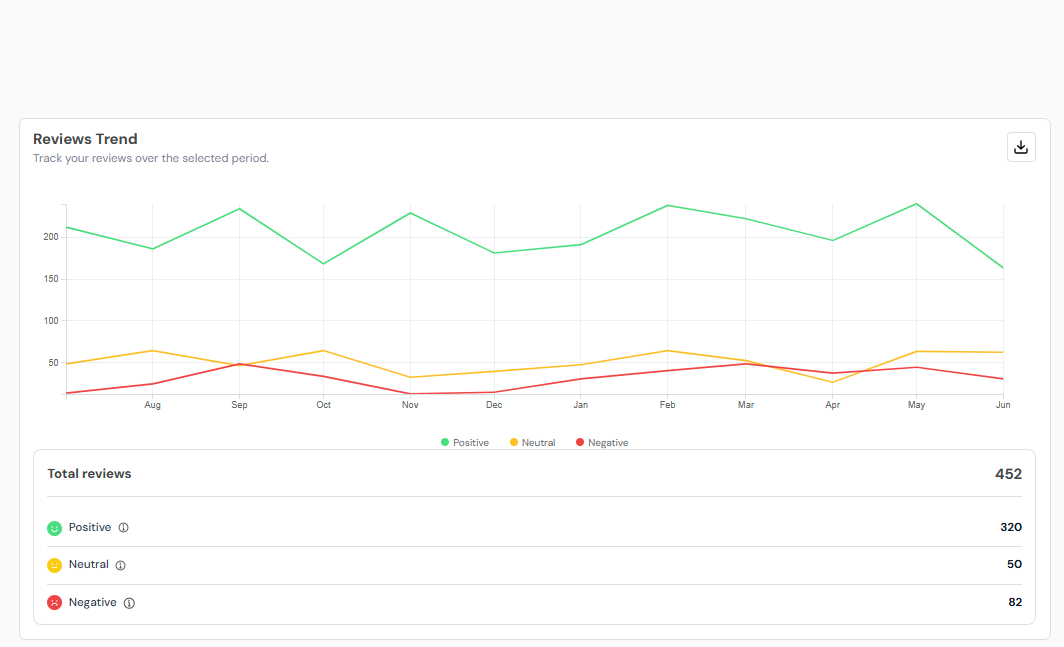
Track how customer sentiment changes over time through visual trend charts.
This section allows you to monitor:
- Positive review trends
- Neutral review trends
- Negative review trends
Helping you identify patterns and understand how customer perception evolves over time.
Reviewer Insights
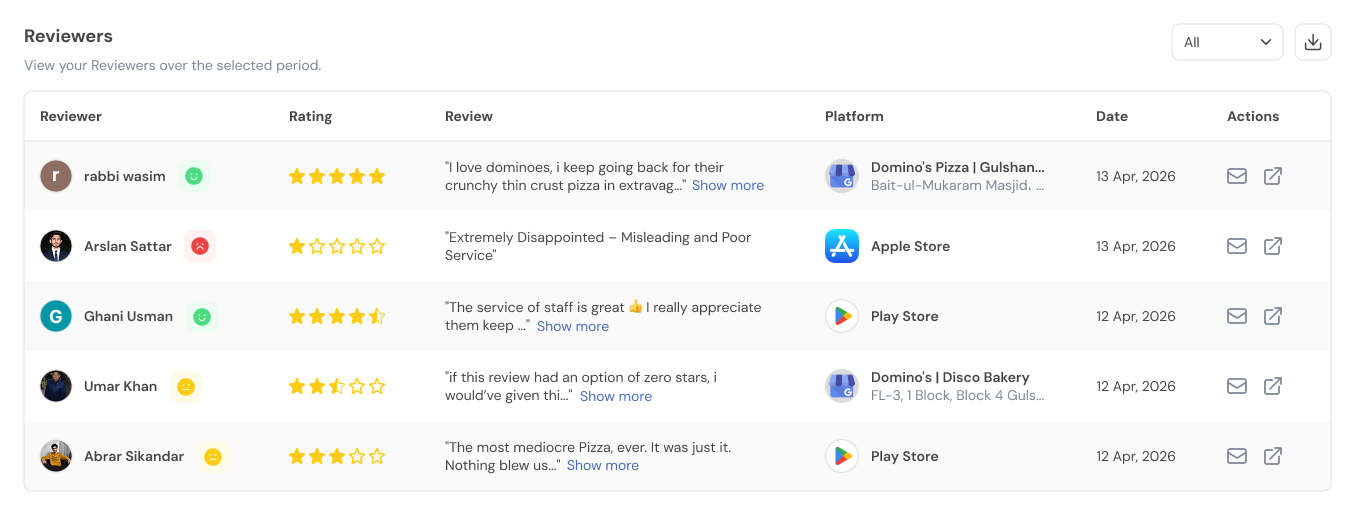
The Reviewers section brings together reviews from all connected platforms into a single view.
You can see:
- Reviewer name
- Review platform
- Rating
- Review content
- Review date
This allows you to easily monitor and review customer feedback from multiple sources without switching between platforms.
Benefits of Reviews & Reputation Analytics
- View reviews from multiple platforms in one place.
- Monitor overall brand reputation from a centralized dashboard.
- Track sentiment trends over time.
- Access reviewer feedback quickly and efficiently.
- Save time by eliminating the need to check each review platform separately.
With Reviews & Reputation Analytics, managing customer feedback becomes simpler, faster, and more organized.
Get the Support you need
Having trouble? Got a question? We’re here to support you every step of the way. Simply email us at [email protected] and we’ll get back to you.
Hey Champ! Want to know how your content is really doing? Social Champ’s Analytics & Insights feature helps you keep Read more
With Social Champ’s Analytics feature, you can analyse your different social accounts and their posts for audience, engagement, impressions, and Read more
Hey Champs! Social Champ allows you to track the performance of campaigns and content via its In-app UTM tracking feature. Read more
Social Champ enables you to maximize your social media engagement by posting when your audience is most active. The "Best Read more