
Social Champ makes it simple to collaborate with your clients by allowing them to securely connect and manage their social media accounts.
Follow the steps below to invite a client and manage their accounts:
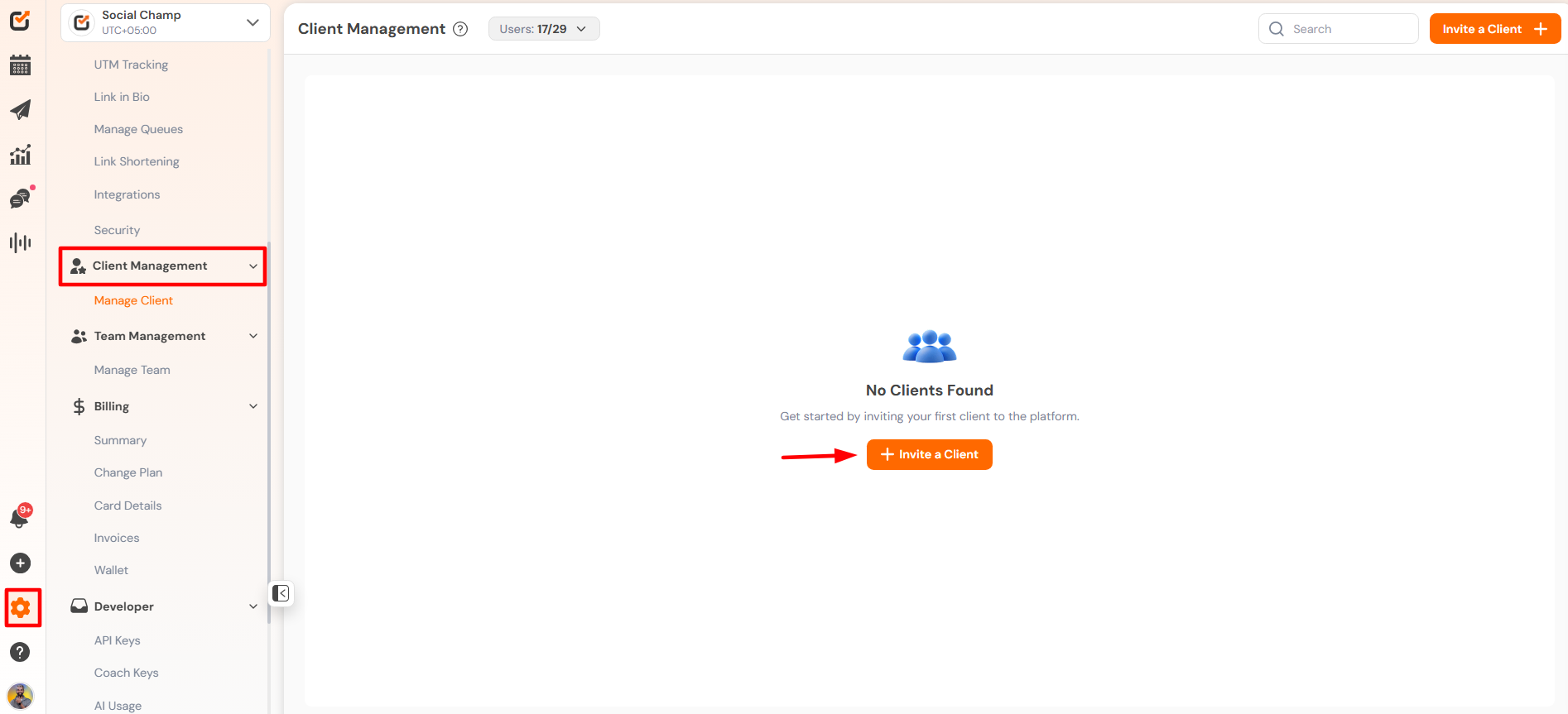
- Log in to your Social Champ account.
- Navigate to the Settings tab from the left-hand panel.
- Click on Client Management.
- Select the Invite a Client button.
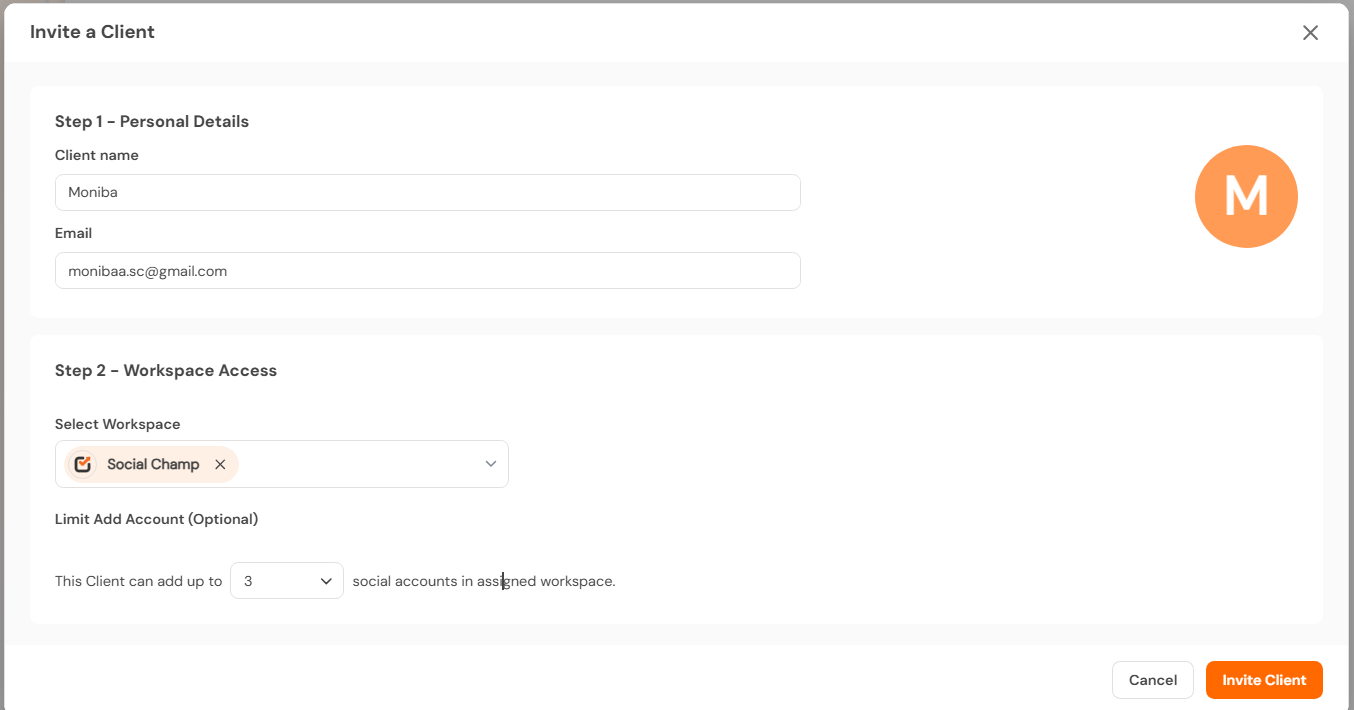
- Enter the client’s name, email address, assign a workspace, and specify the number of accounts.
Note: A client can connect up to 25 social media accounts.
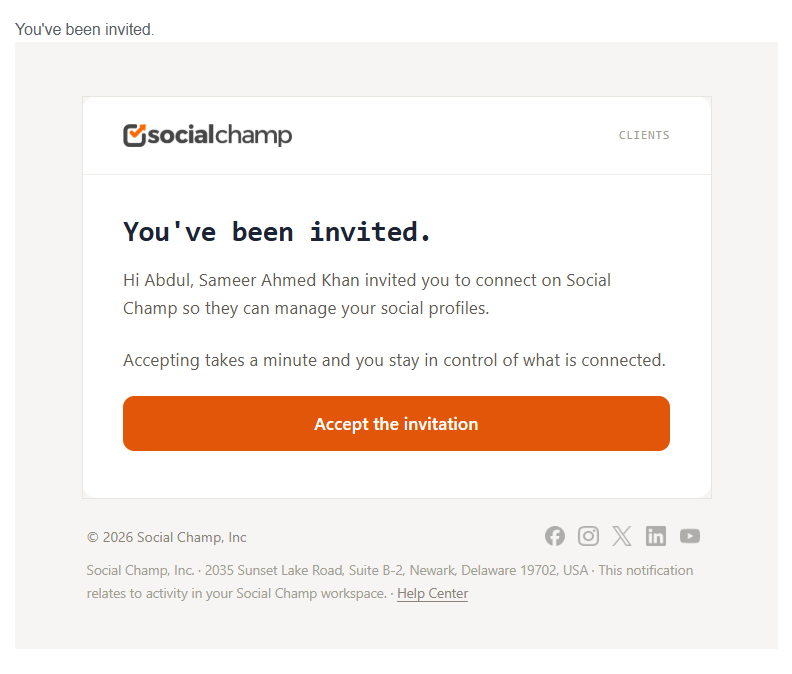
- The client will receive an email invitation. They can accept the invite, sign up (if not already registered), and connect their social media accounts.
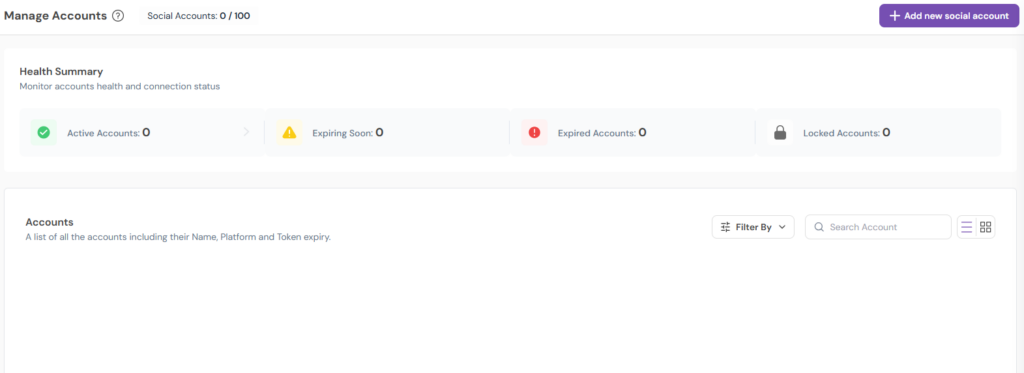
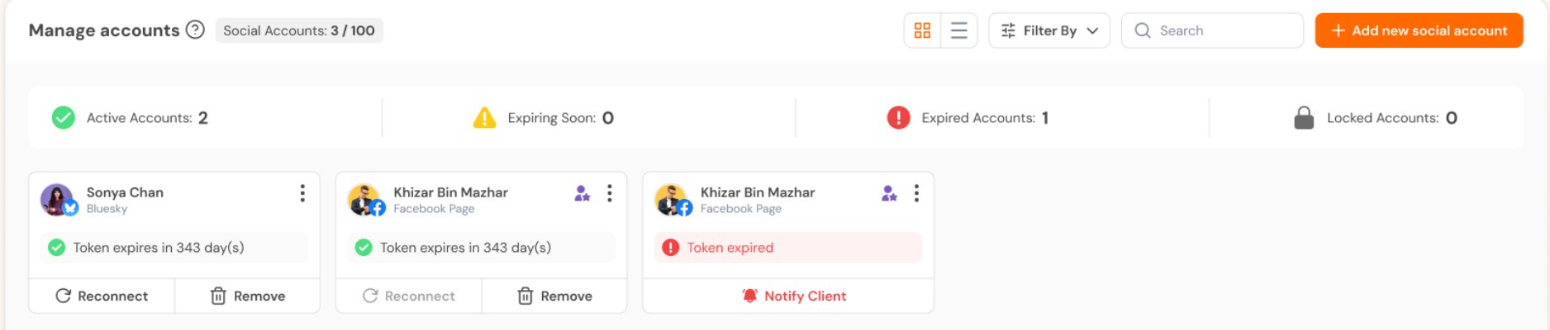
- An admin of the account will be able to view and manage the accounts added by your clients directly within the platform.
- If any connected account requires re-connection, the admin can notify the client.
- The client can then reconnect the account to restore functionality.
Important:
The number of clients invited and social accounts connected will count toward the total number of users and accounts allowed in your Social Champ plan.
Get the Support you need:
Having trouble? Got a question? We’re here to support you every step of the way. Simply email us at [email protected] and we’ll get back to you.
Hey Champ! Ready to start scheduling your YouTube videos and Shorts like a pro? Let’s get your channel synced with Read more
Hey Champs! Social Champ now integrates with Mastodon, allowing you to manage your decentralized social network seamlessly. Let's get started Read more
Hey Champs! Need to refresh your social media account information in Social Champ? Re-syncing allows Social Champ to fetch the Read more
Hey Champs! Are you looking for a way to schedule and automate your YouTube videos? Well, look no further, Social Read more