
Social Champ allows you to easily create a group of mentions and use them in your posts without having to add each handle individually every time. This helps streamline your posting process and saves valuable time.
Let’s get started and see how it works,
- Log in to your Social Champ account and select the relevant social media accounts to create a post.
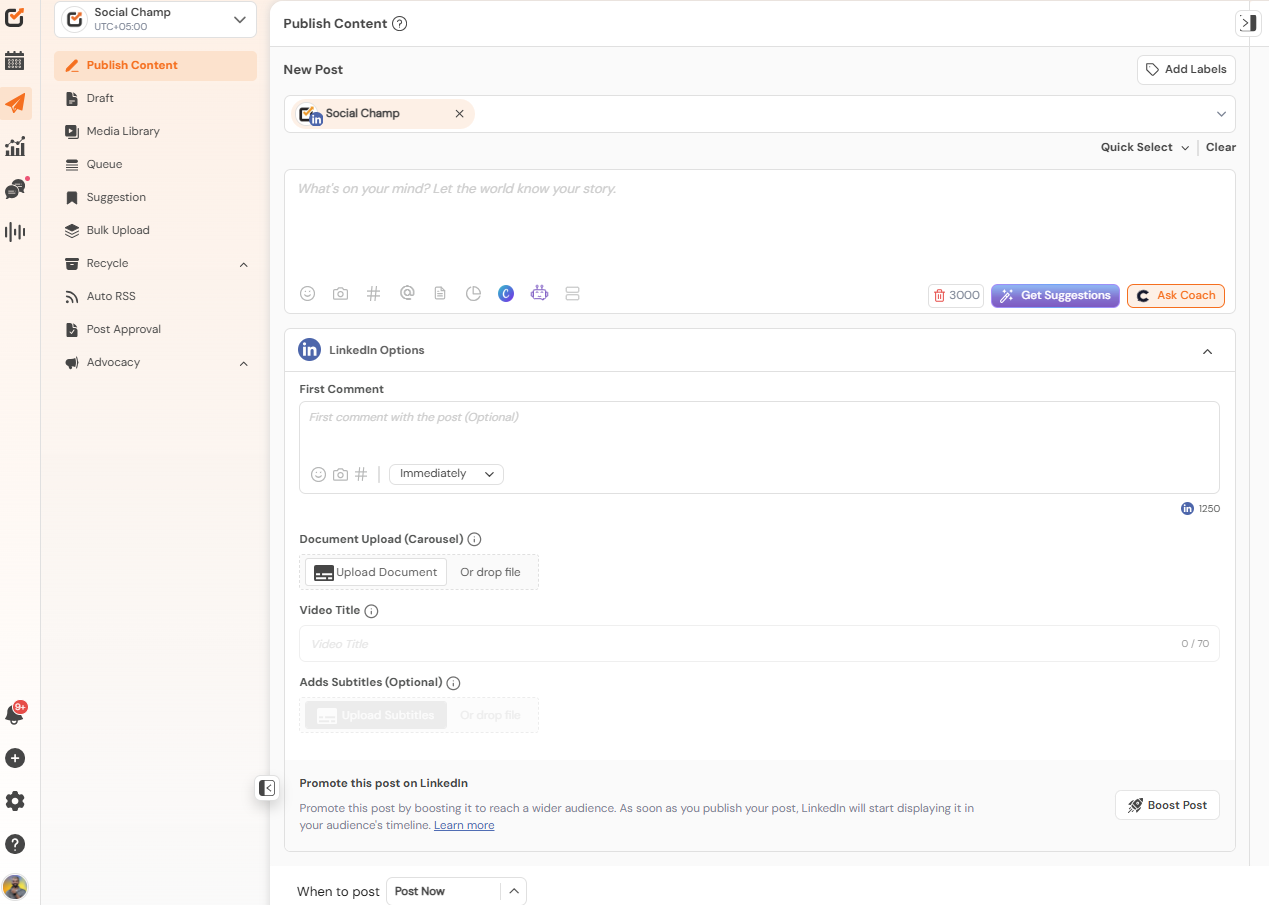
- Once done, click on the “@” icon located at the bottom of the content composer box.
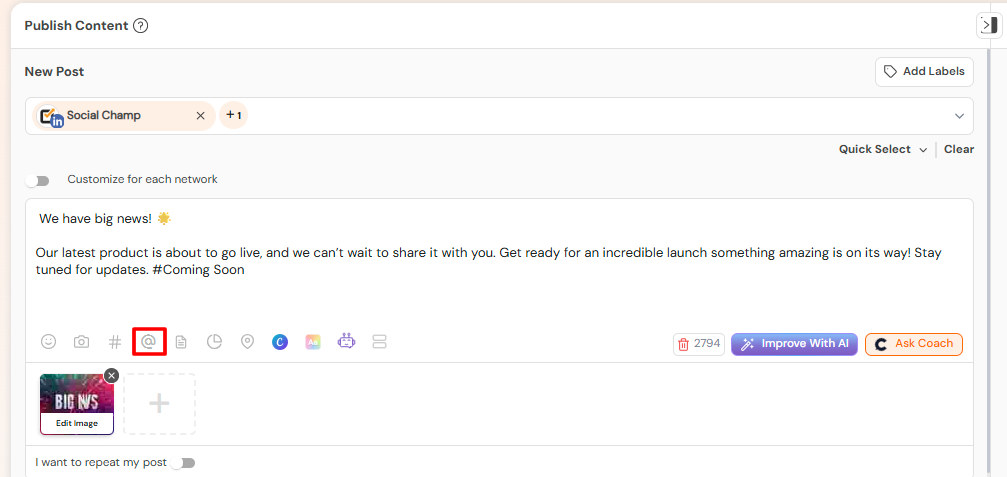
- Select the “Add Custom Mention” Button.
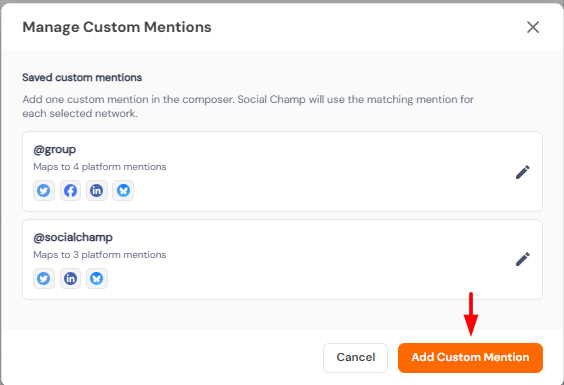
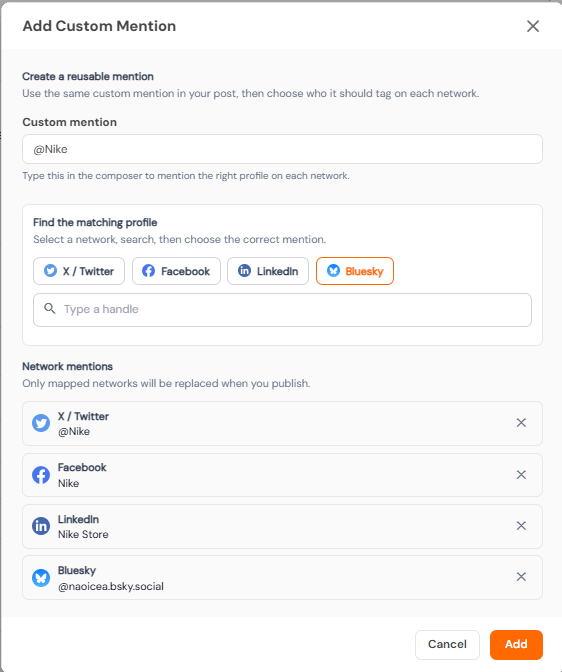
- Enter a name for your custom mention group. For Example: @Nike
- Add the required handles by typing @username and selecting the correct account from the dropdown list.
- You can add handles across different social networks based on your requirements.
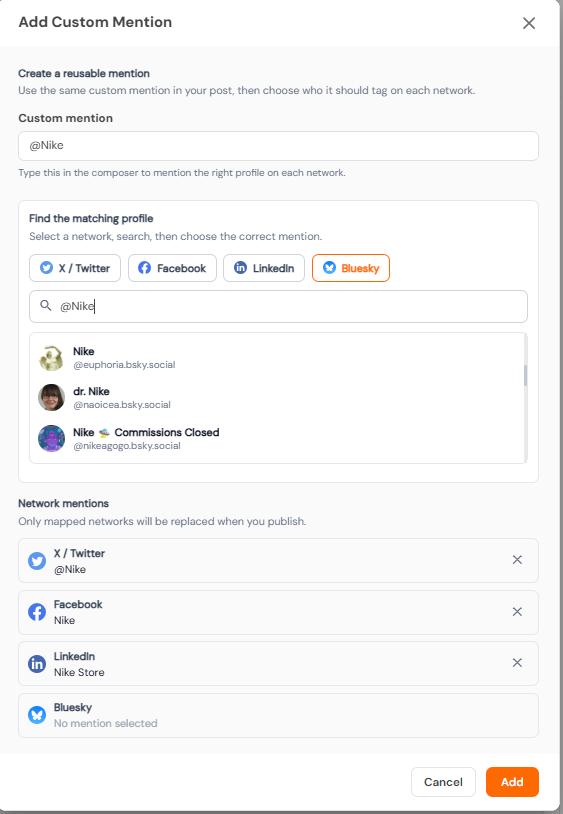
- You can add handles across different social networks based on your requirements.
- Click on the “Add” button to save your custom mention group.
- To add the Group Mention, In the content composer, type the name of your saved custom mention group.
- Select it from the drop-down list when it appears.
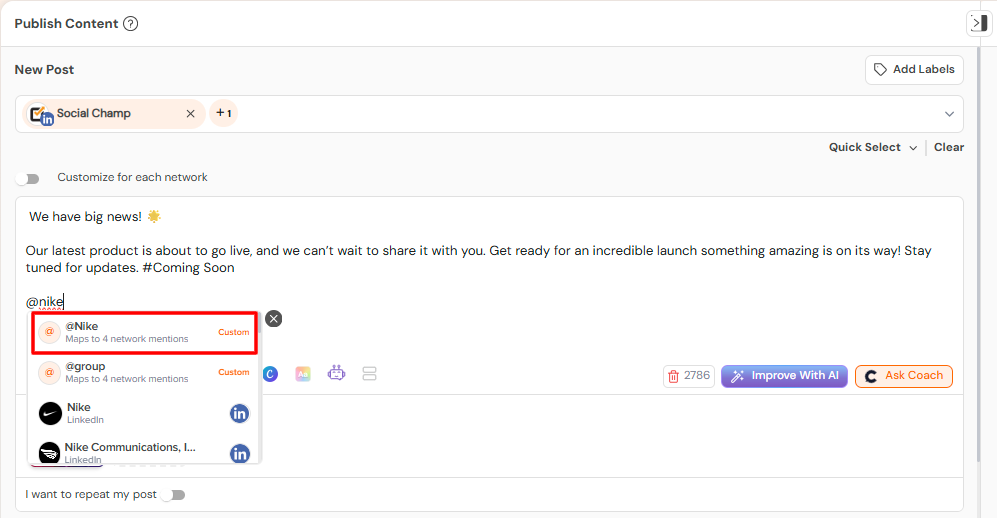
- The saved group of mentions will be automatically added to your post.
Great Work! You have successfully created a custom mention group. Now you can easily tag multiple accounts in just a few clicks, making your posting process faster and more efficient.
Get the Support you need
Having trouble? Got a question? We’re here to support you every step of the way. Simply email us at [email protected], and we’ll get back to you.
Enhance your content strategy and engage your audience with YouTube video scheduling. Follow this step-by-step guide to schedule videos on Read more
Hey, Champs! Social Champ now introduces its much-awaited feature ‘Shareable Drafts’, which allows you to share your saved scheduled posts Read more
This guide will help you schedule carousel posts (multiple images) to your Instagram Business or Creator account using Social Champ. Read more
Social Champ offers a free plan and three paid plans. The number of posts you can schedule using each plan Read more