
You can now take greater control of your Facebook post visibility and engagement with Audience Targeting in Social Champ.
This feature allows you to fine-tune who sees your content, helping you reach a more relevant audience and improve engagement based on your campaign goals.
Let’s see how it works:
- Log in to your Social Champ account and select your Facebook Page. Then create a new post.
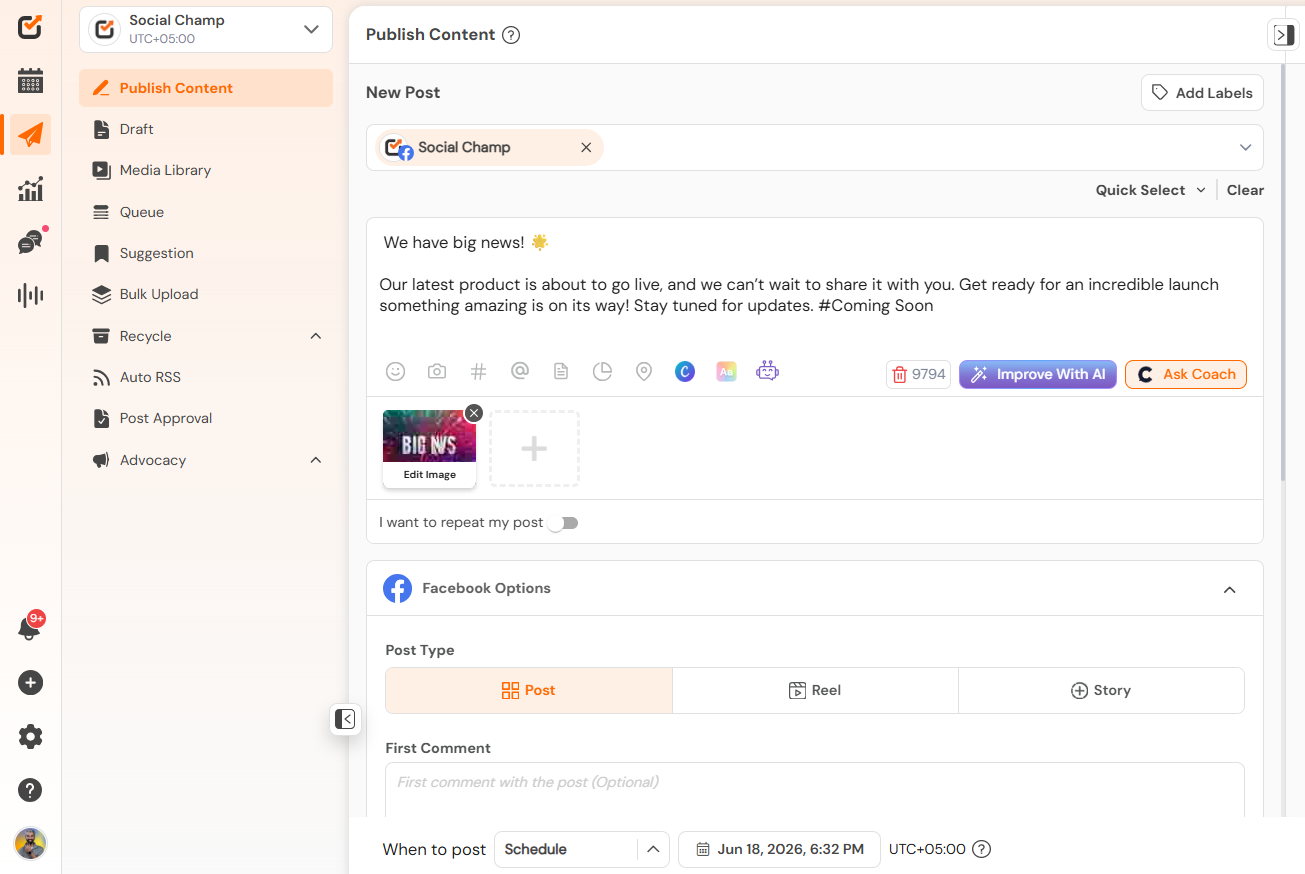
- Scroll down to the Facebook post options and click on the Create Audience button.
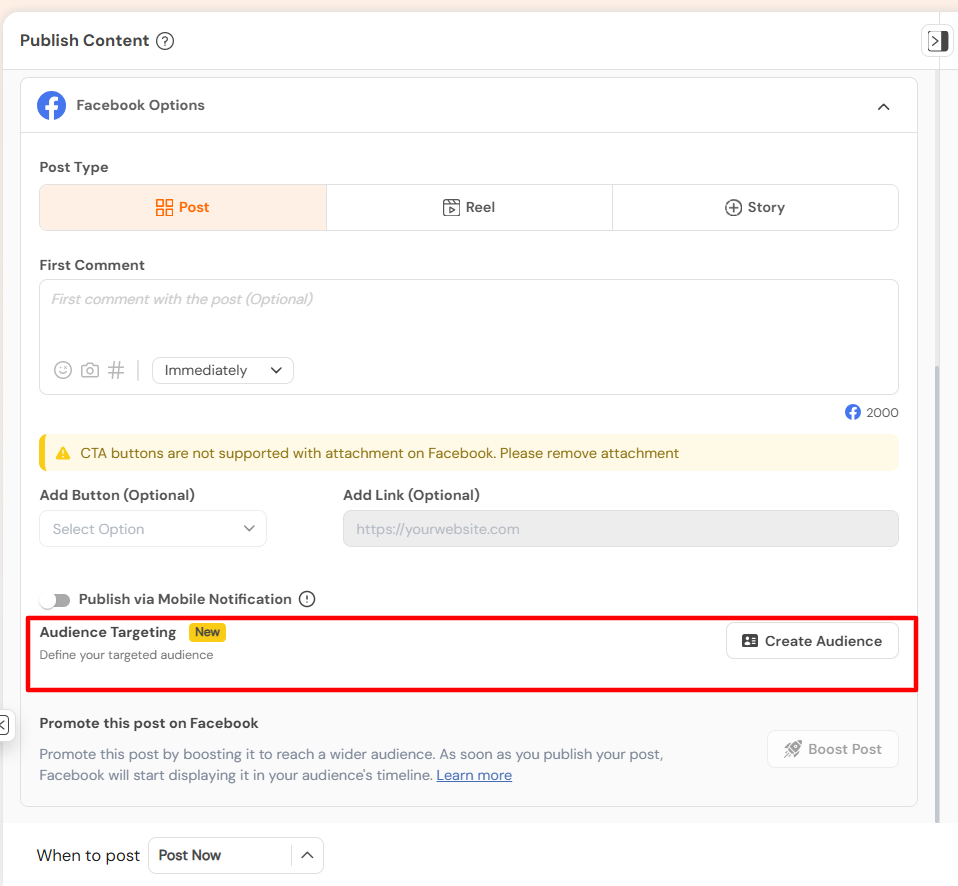
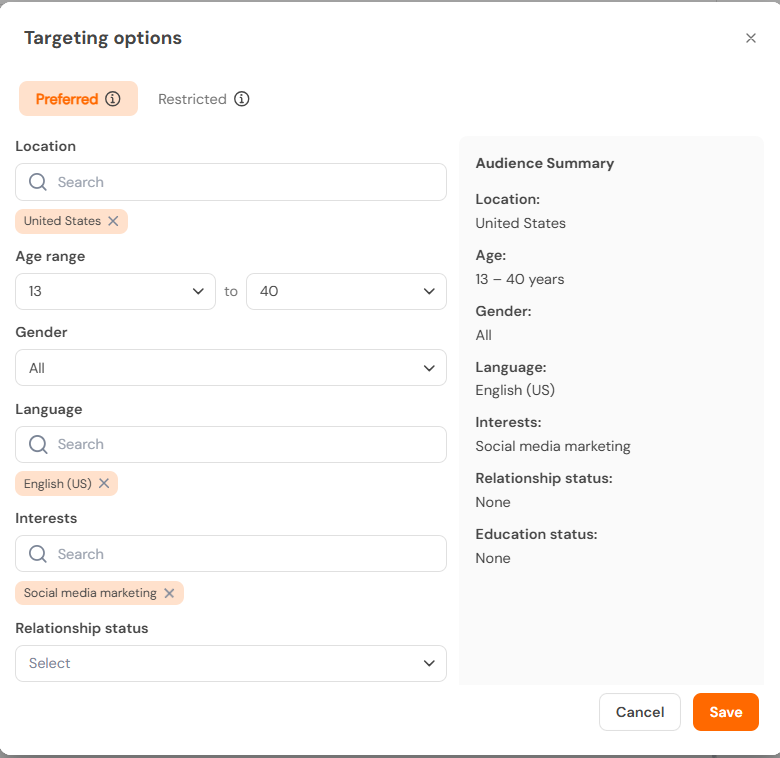
- You can find two options, using which you can set the target audience,
a. Preferred: Preferred is reach the people most likely to engage with your post. Here you can select the location, Age range, Gender, Language, Interests, relationship status and Education Status.
b. Restricted: Limit who can see this post by location age or language.
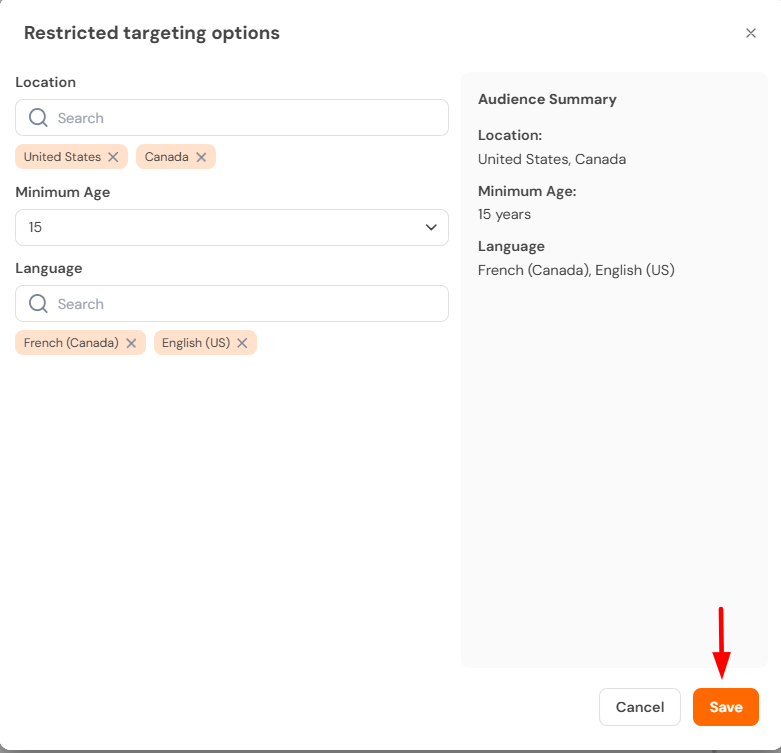
- Once everything is set, choose your preferred time and schedule your post so it reaches your targeted audience at the right moment.
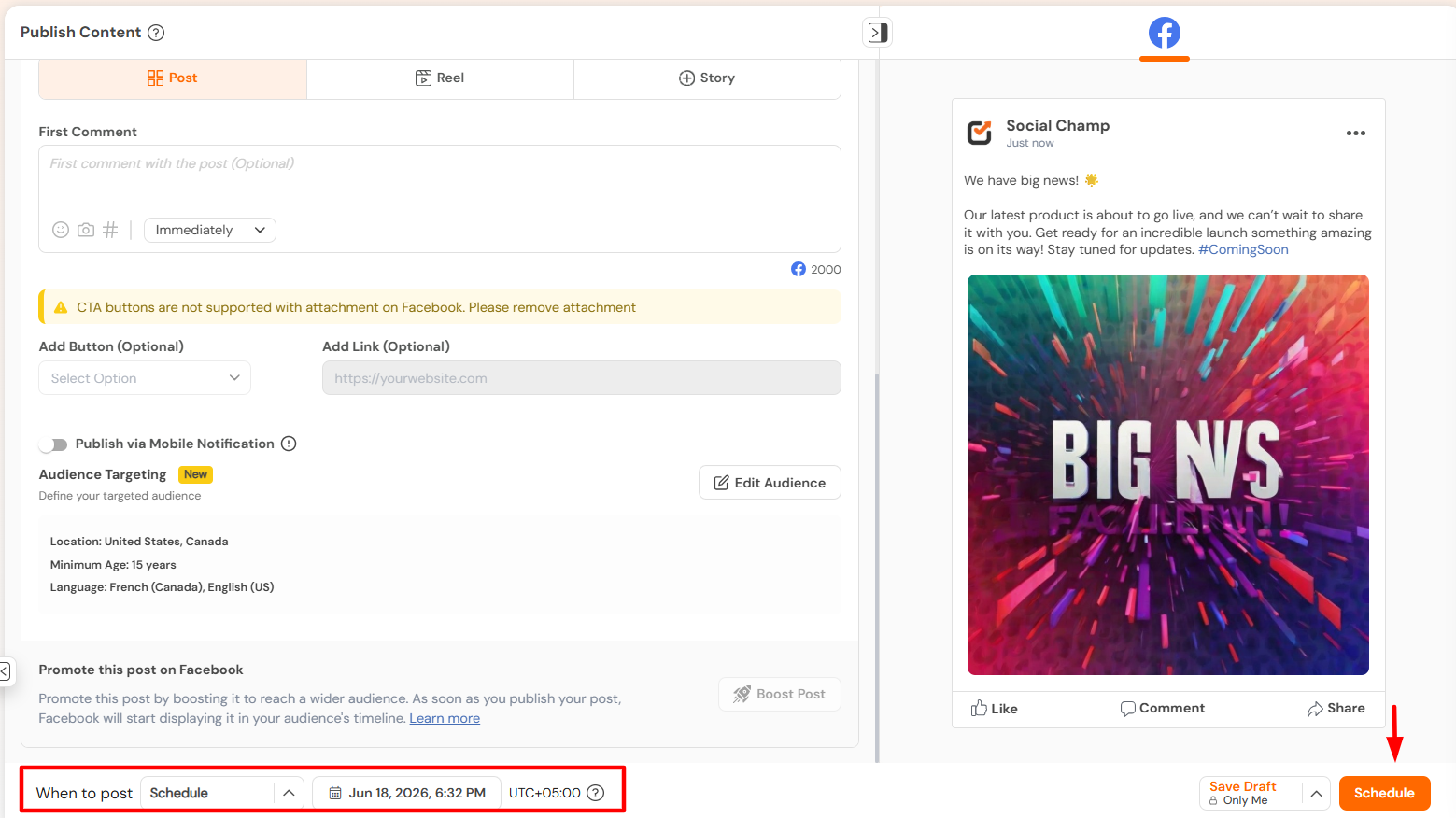
That’s it! Your post will now be optimised to reach a more relevant and engaged audience.
Get the Support you need
Having trouble? Got a question? We’re here to support you every step of the way. Simply email us at [email protected] and we’ll get back to you.
Enhance your content strategy and engage your audience with YouTube video scheduling. Follow this step-by-step guide to schedule videos on Read more
Hey, Champs! Social Champ now introduces its much-awaited feature ‘Shareable Drafts’, which allows you to share your saved scheduled posts Read more
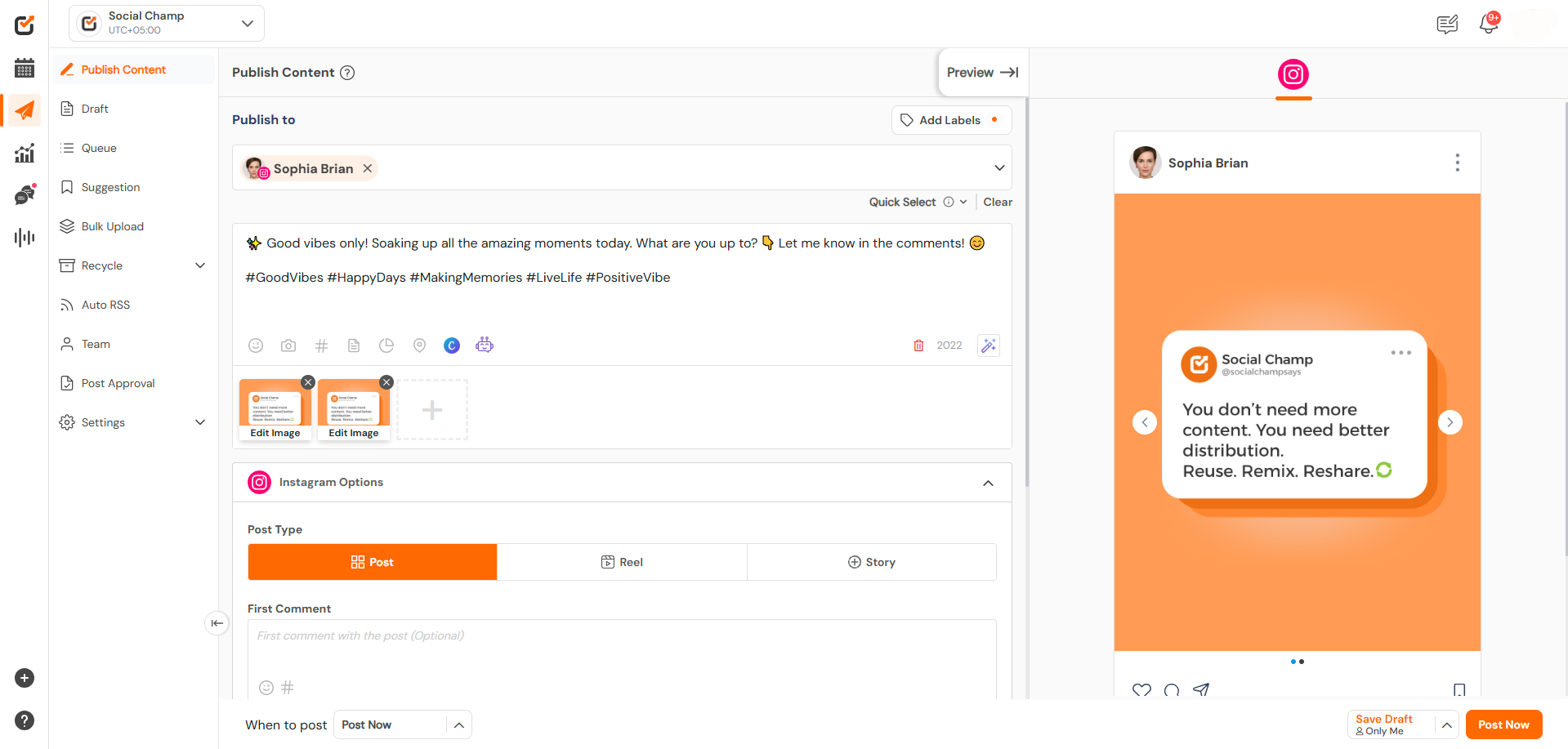
This guide will help you schedule carousel posts (multiple images) to your Instagram Business or Creator account using Social Champ. Read more
Social Champ offers a free plan and three paid plans. The number of posts you can schedule using each plan Read more