
Social Champ’s Advocacy feature is designed to turn your team into brand ambassadors. By centralizing high-quality content, you allow your employees and partners to easily share company updates to their own social networks, significantly increasing your brand’s organic reach, engagement, and earned media value.
Accessing the Advocacy Dashboard
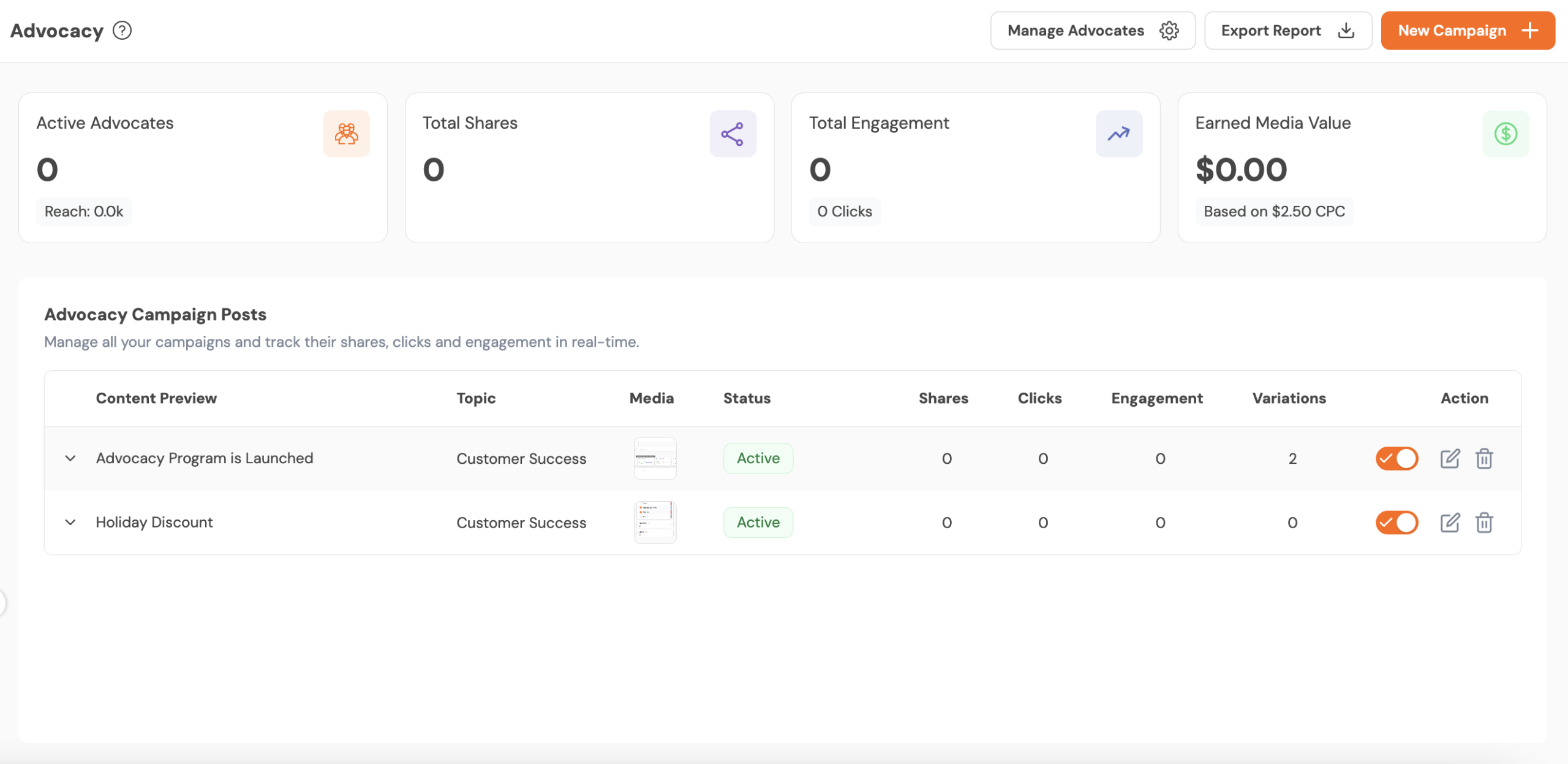
The Advocacy Dashboard serves as your mission control for monitoring the health and impact of your advocacy programs.
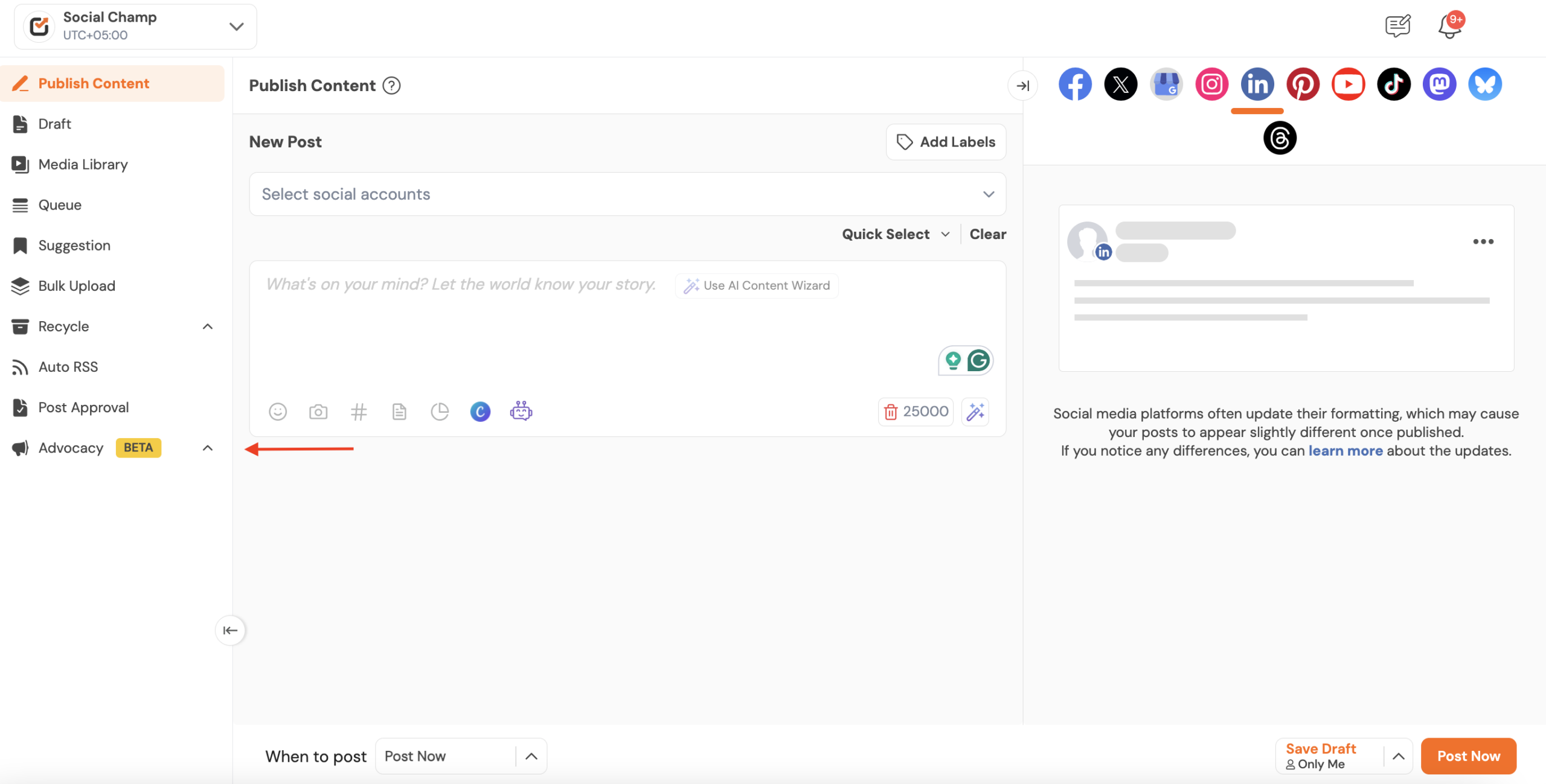
- Log in to your Social Champ account.
- Navigate to the left-hand sidebar and click on the Advocacy tab.
- Select Dashboard to view real-time metrics, including Active Advocates, Total Shares, Total Engagement, and Earned Media Value.
Setting Up Your First Campaign
To give your advocates something to share, you must first create a campaign.
Creating a Campaign
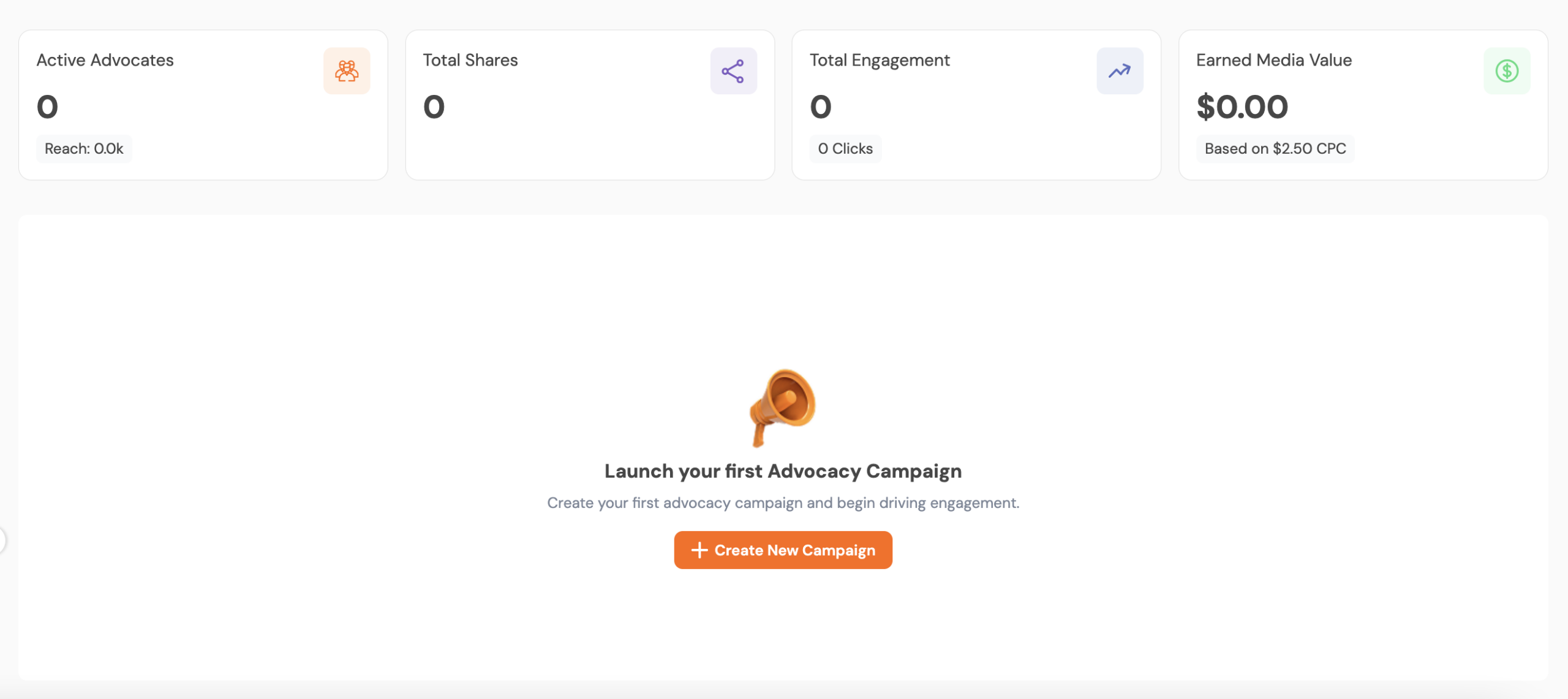
- Click the Create New Campaign button in the center of the dashboard or the New Campaign + button in the top right corner.
- In the pop-up window, select a topic from the dropdown menu to categorize your content.
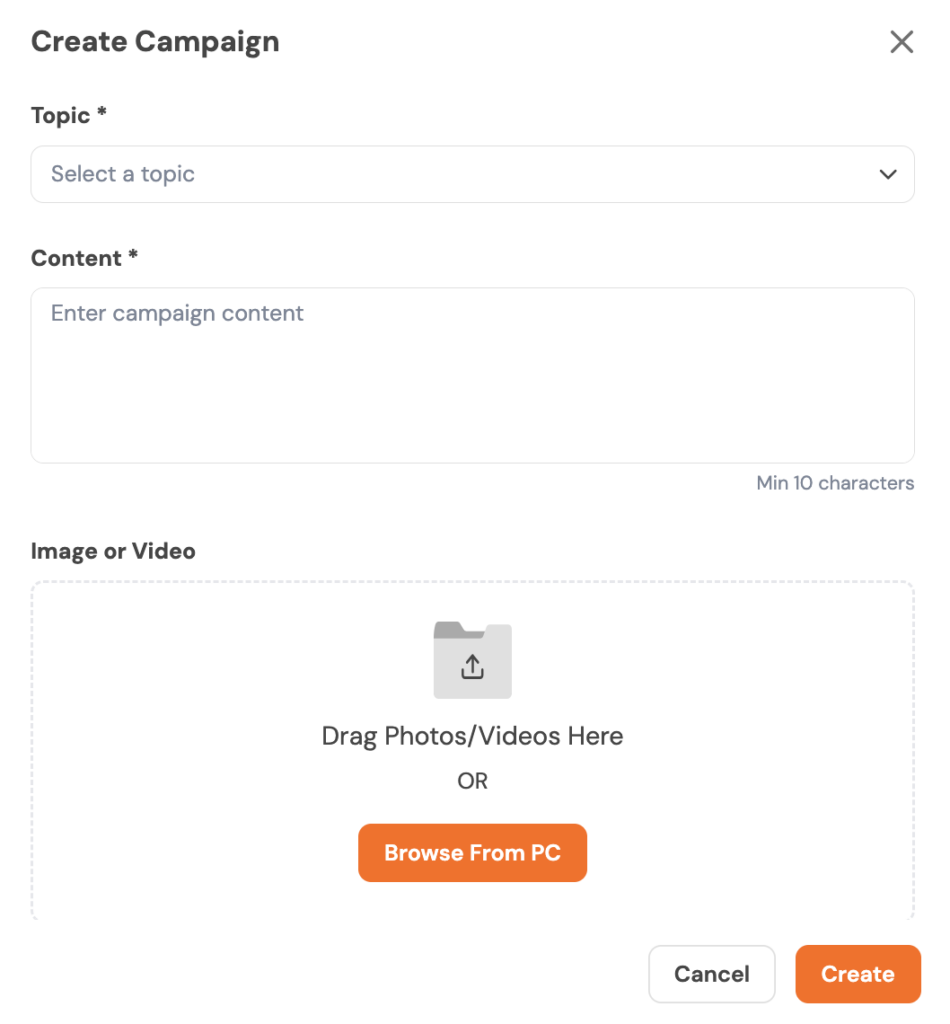
- Enter your Campaign Content in the text area (minimum 10 characters).
- Upload an Image or Video by dragging and dropping files or clicking Browse from PC.
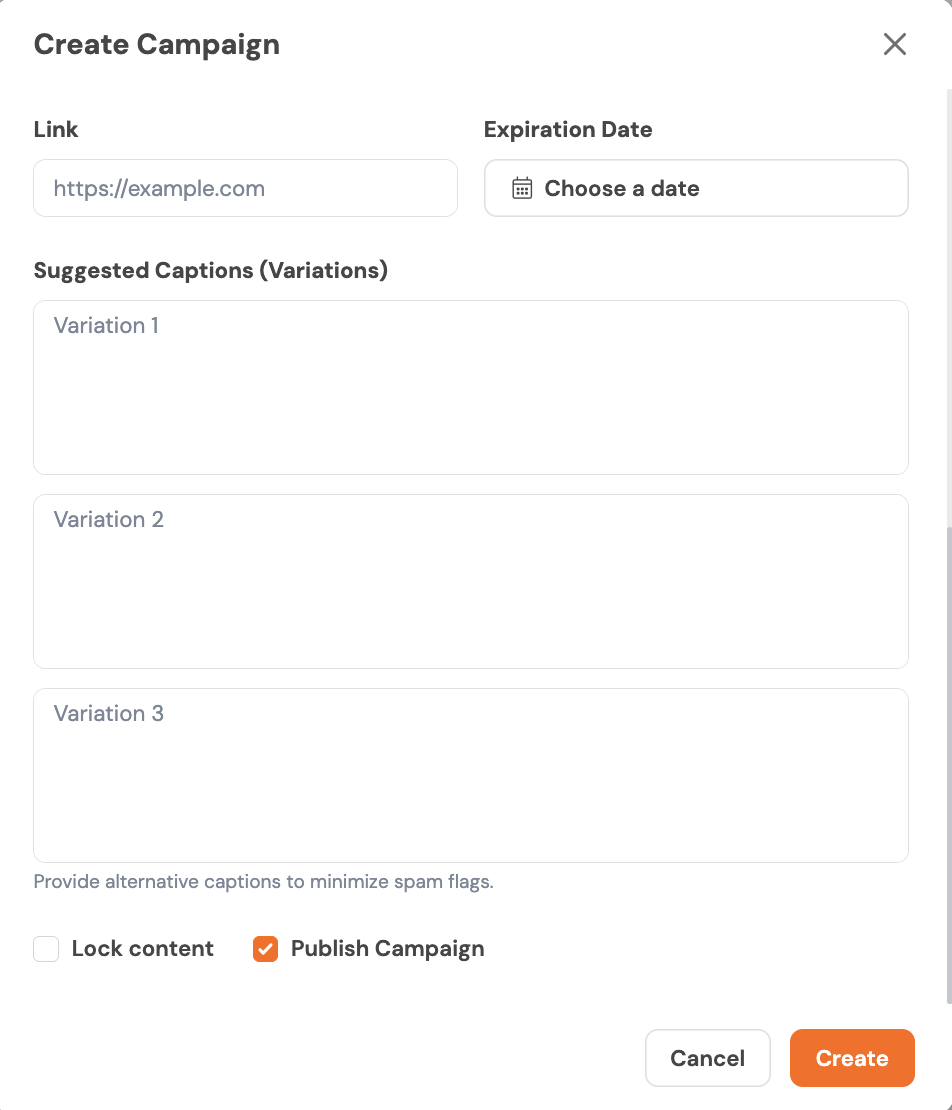
- Add your campaign details, including the link, expiration date, and multiple caption variations, to improve engagement.
- Choose your publishing preferences by locking the content if needed and selecting whether to publish the campaign immediately.
- Click the Create button to launch the campaign to your advocates.
Managing Your Advocacy Team
An advocacy program is only as strong as its participants. You can manage and grow your team via the “Manage Advocates” section.
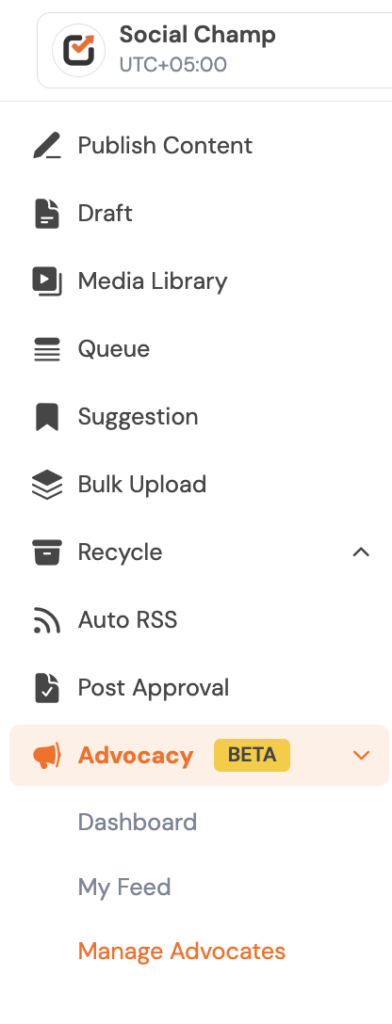
- Click on Manage Advocates from the left-hand menu or the top dashboard button.
- Review your team’s performance via cards for Total Advocates and Total Points.
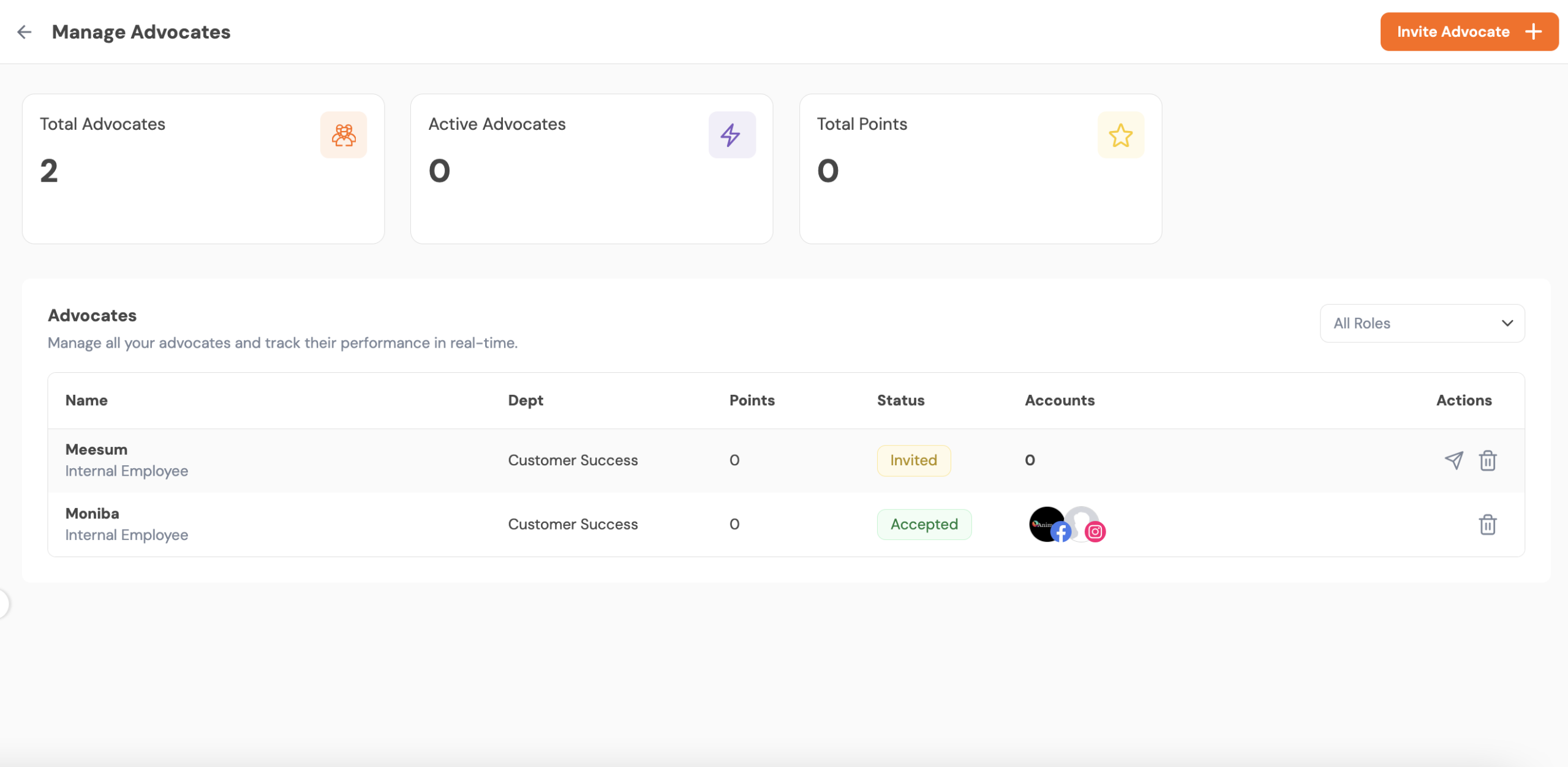
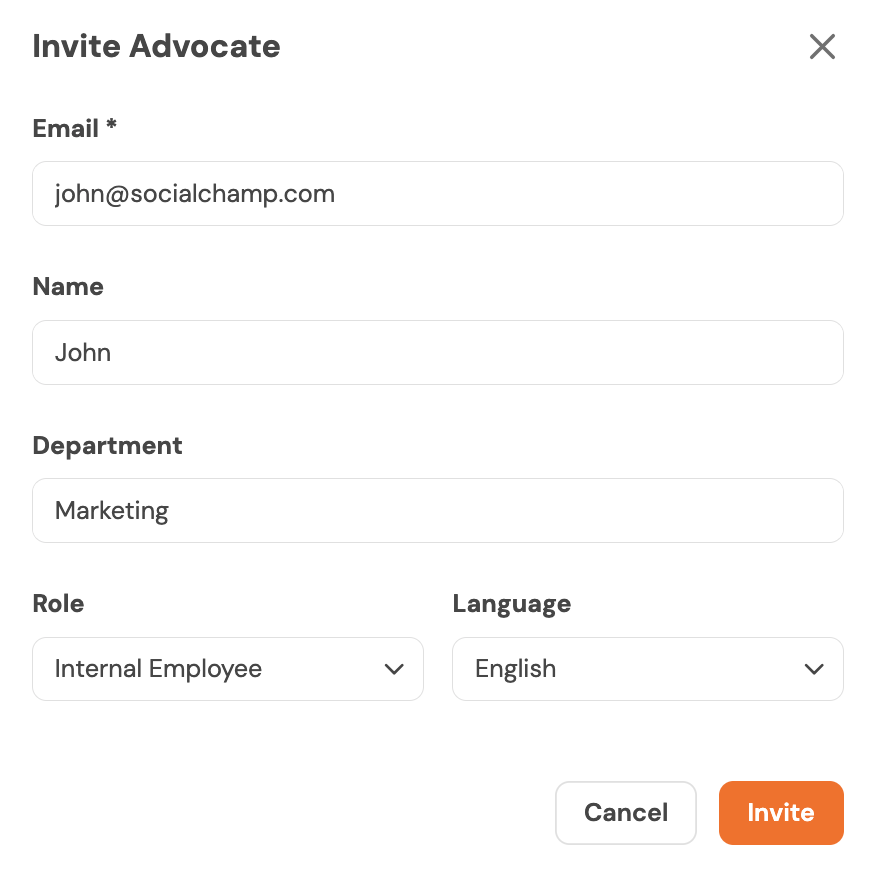
- Click Invite Advocate to add new team members to the program.
The Advocate Experience: My Feed
Once invited, your advocates will have their own personalized view to interact with the content you provide.
Sharing and Gamification
- Advocates should navigate to the My Feed section.
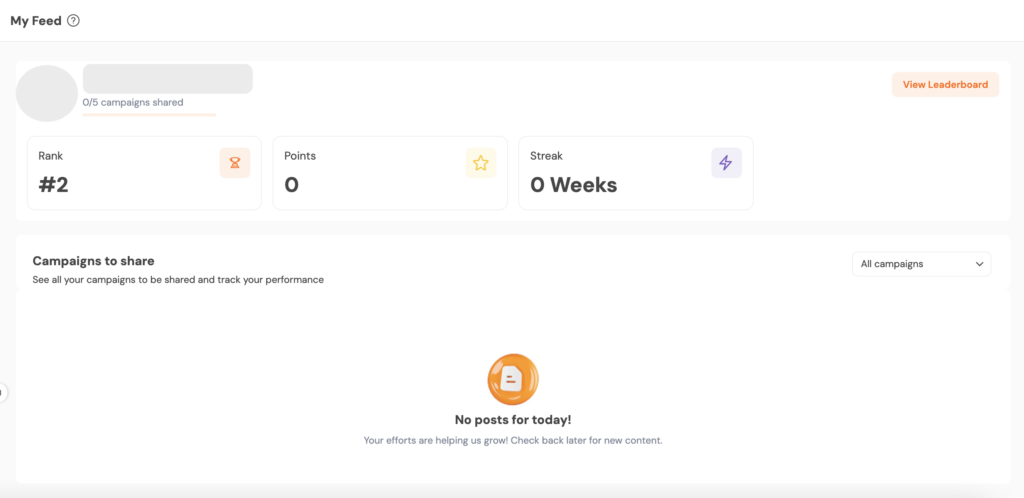
- Here, they can see their personal Rank, Points, and Weekly Streak, which encourages healthy competition through the Leaderboard.
- Any active campaigns will appear under Campaigns to share, allowing advocates to post directly to their connected social accounts.
The Advocacy feature is currently in BETA. We are continuously adding new features to help you gamify the experience and better track the ROI of your team’s social sharing. Start by inviting a small core team of advocates to test your first campaign!
Get the Support you need
Having trouble? Got a question? We’re here to support you every step of the way. Simply email us at [email protected], and we’ll get back to you.