
We’re sorry to see you go! If you’ve decided to permanently delete your Social Champ account, please follow the steps below to ensure everything is handled correctly.
Important Notes Before You Proceed:
- Account deletion is permanent. All data, including scheduled posts, analytics, and connected social profiles, will be erased.
- If you’re currently on a paid subscription, make sure to unsubscribe first. You can refer to our separate guide on how to unsubscribe from a paid plan.
- Account and data deletion may take up to 7 days to fully process.
Let’s get started,
- Visit www.socialchamp.com and sign in using your registered email and password.
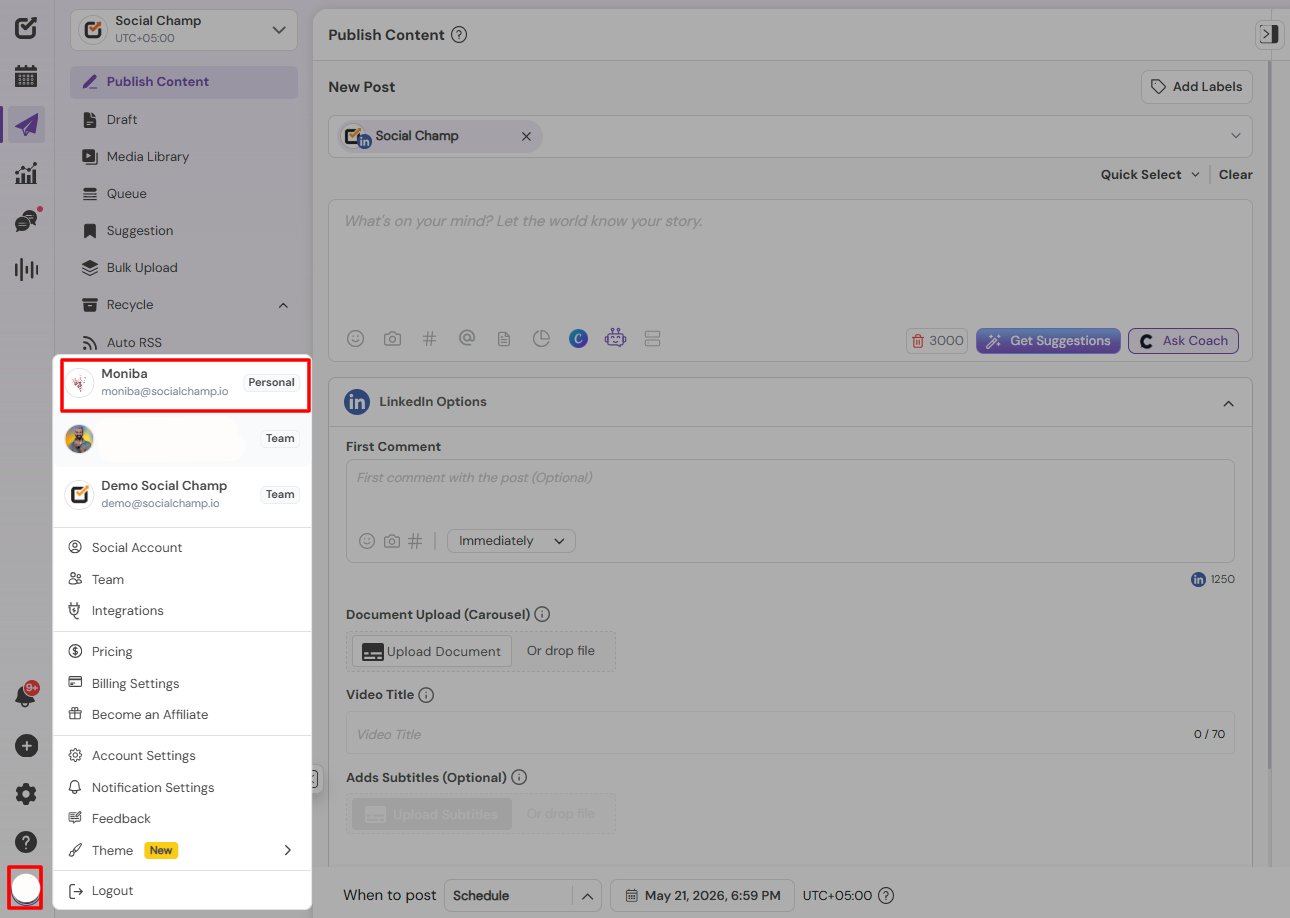
- Go to Personal account, by navigating to the bottom left corner.
- Now click on the Settings tab and select ”Account”.
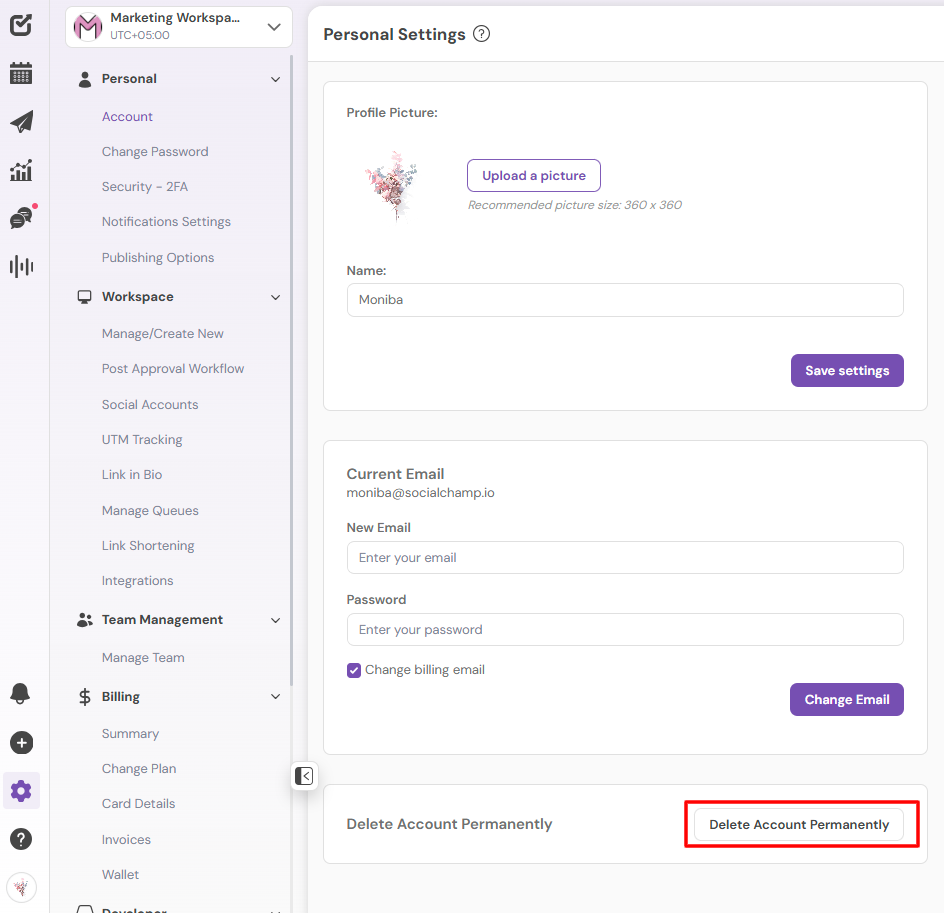
- Scroll to the bottom of the page. You’ll find a button “Delete Account Permanently”.
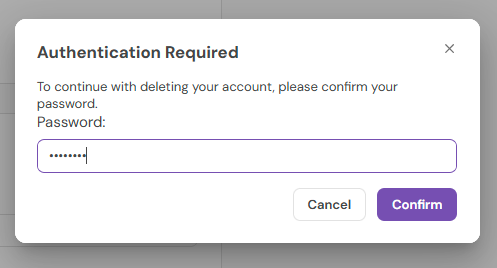
- A pop-up will prompt you to enter your password. Enter your password and click “Confirm” to finalize the deletion request.
Need Guidance?
If you run into any issues or have second thoughts, feel free to reach out to us at support@socialchamp.com We’re always here to help!
Hey Champs! Did you know you can get started with Social Champ absolutely FREE? That’s right, sign up for our Read more
Successfully managing multiple social media accounts and collaborating with your team are fundamental to an impactful social media strategy. Social Read more
You can easily add your payment card details to Social Champ without activating any subscription. Just follow the steps below: Read more
Note: This guide is based on an earlier version of Social Champ. Some steps or features may have changed. Please Read more