
Hey Champs, The post-approval feature is an exclusive system designed to help the account owner/admin control the flow of content across different social media platforms.
The feature enables content approval at two distinct levels:
- Post-approval at the Workspace level
- Post-approval at the Team member level
Post-approval at the Workspace level
The Post Approval Workflow setting requires all scheduled posts for any social account within the workspace to go through the approval process first, even if created by a team member or the workspace owner.
Let’s get started with how post-approval works.
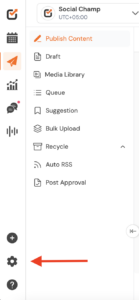
- Log in to your Social Champ account, and you will land on the main Publish content dashboard. Click on the Settings option from the bottom left corner (⚙️Gear/cog icon)
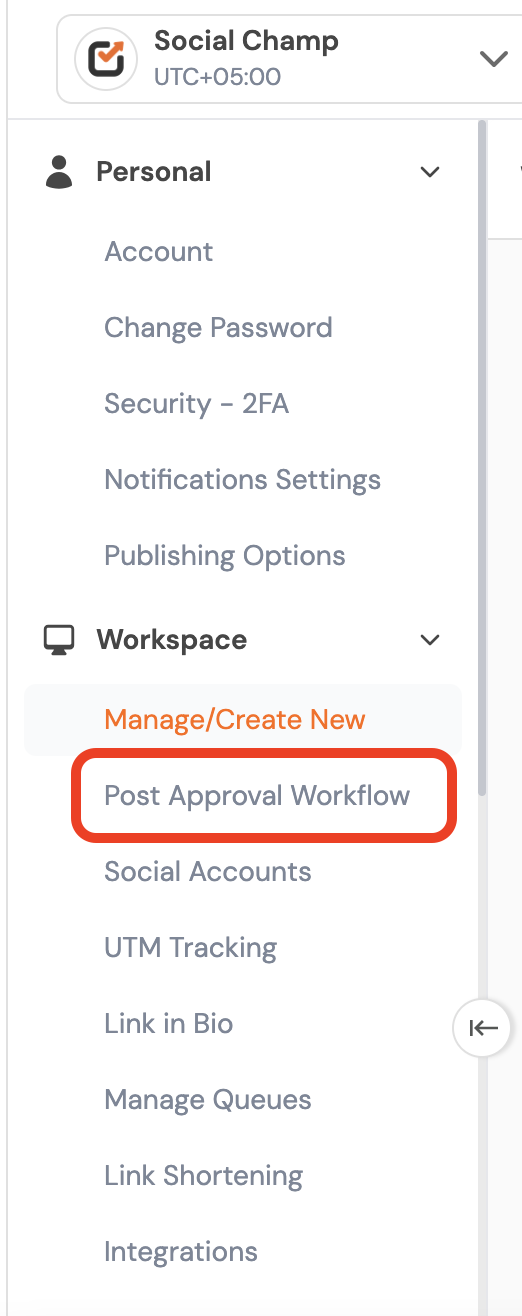
- You will land on the Settings menu, where you can navigate to Workspace and click on Post Approval Workflow.
- You will now see two options: One-Step Approval Workflow and Multi-Step Approval Workflow. Please toggle on the One-Step Approval Workflow option.
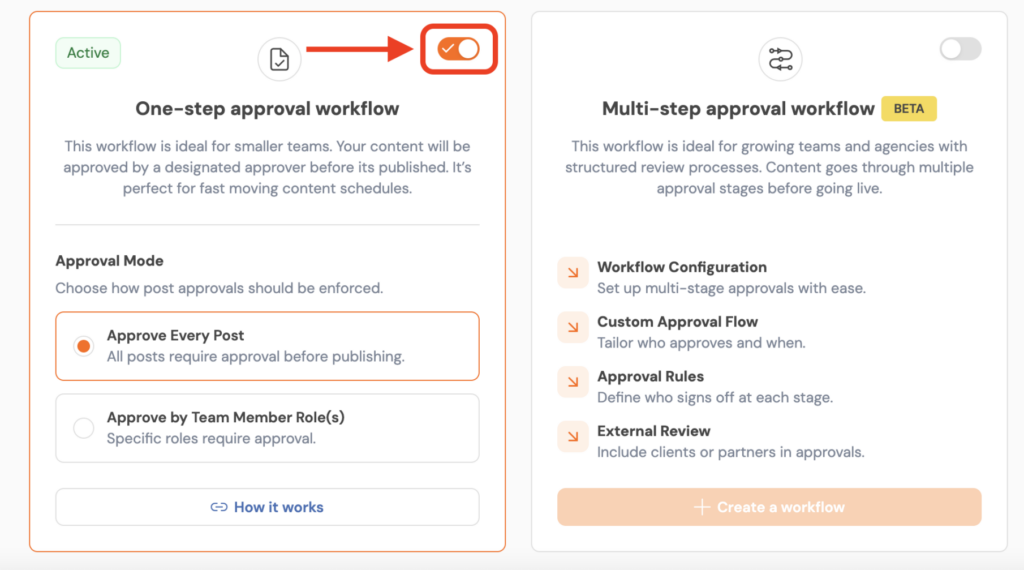
- Once you enable the Workspace Post Approval setting, all posts created in the workspace will go through the approval workflow.Team members with the role of Admin or Owner will be able to review and approve those posts.
Post-approval at the Team member level
- Post approval can also be managed at the individual team member level, allowing the Admins/Owner to require approval for content created by a specific Author (team member).
- The account Admin/Owner can control this by selecting “Approve by Team Member Role.” They can also choose the specific social accounts for which post approval should be enabled for that team member.
- Once enabled, all posts scheduled by the Author for the selected account(s) will require approval before they are published.
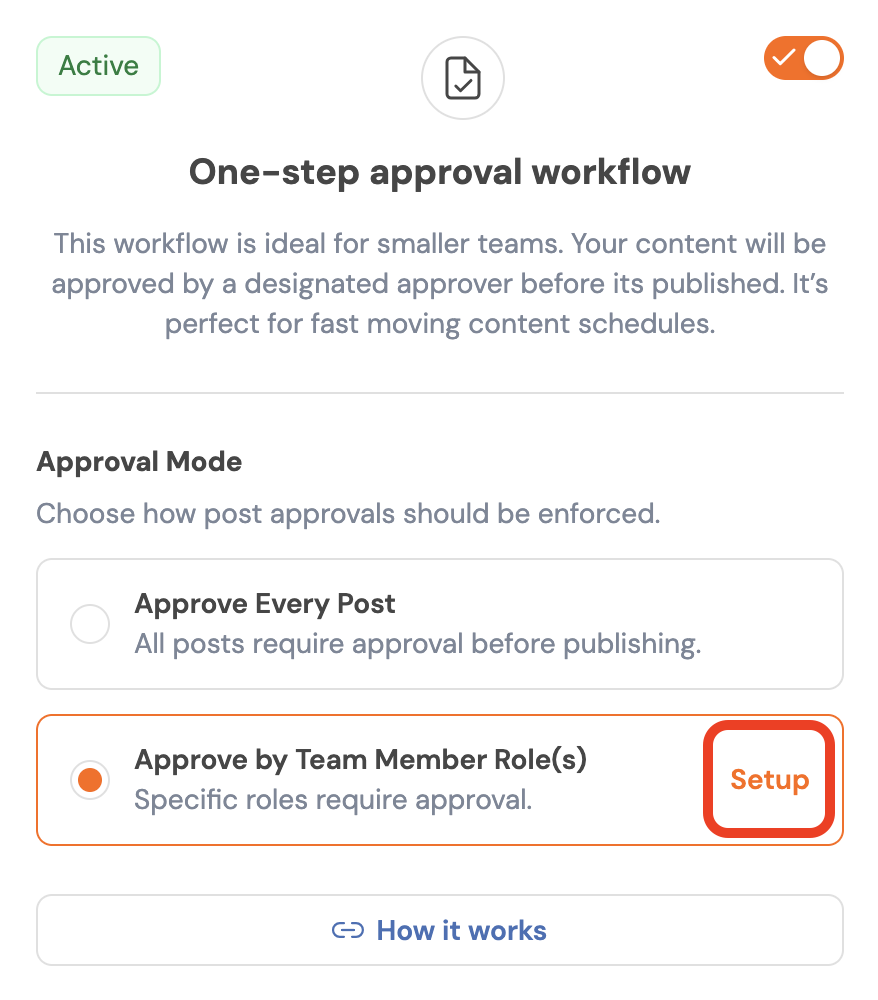
- Once you click on Setup, you will be redirected to Team Management, where you can view all invited team members along with their assigned roles. From there, select the team member with the Author role and click the Edit icon to configure post approval settings.
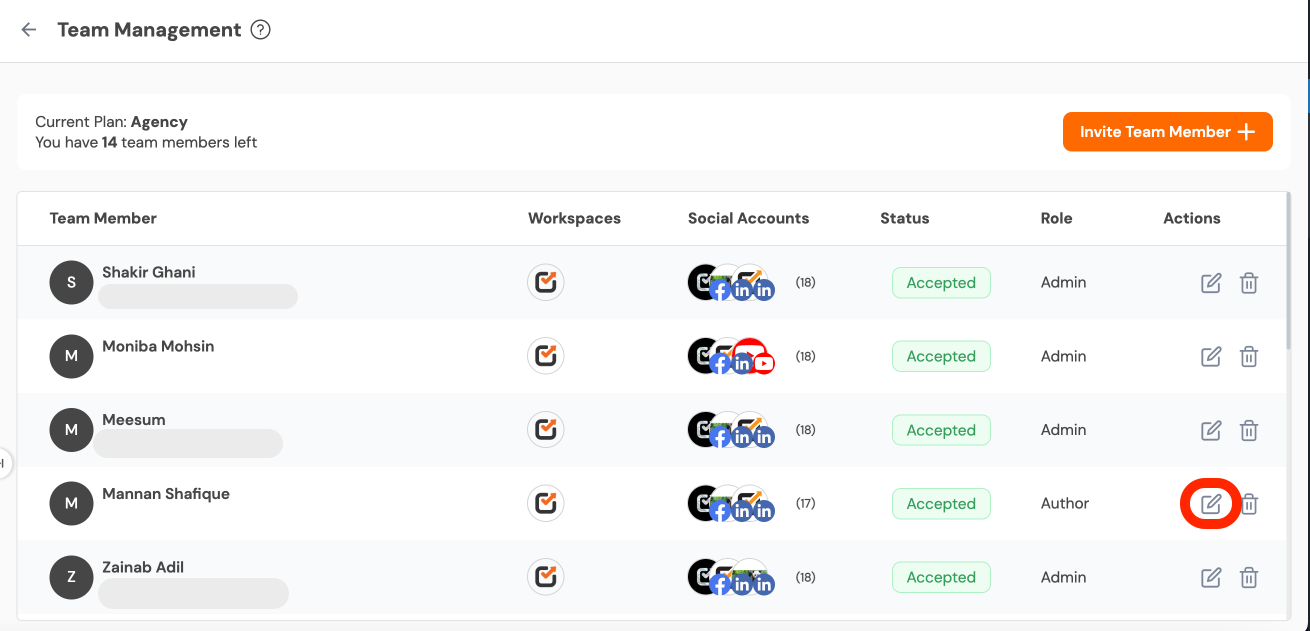
- You can enable approval for a specific social media account or for all social media accounts within the workspace.
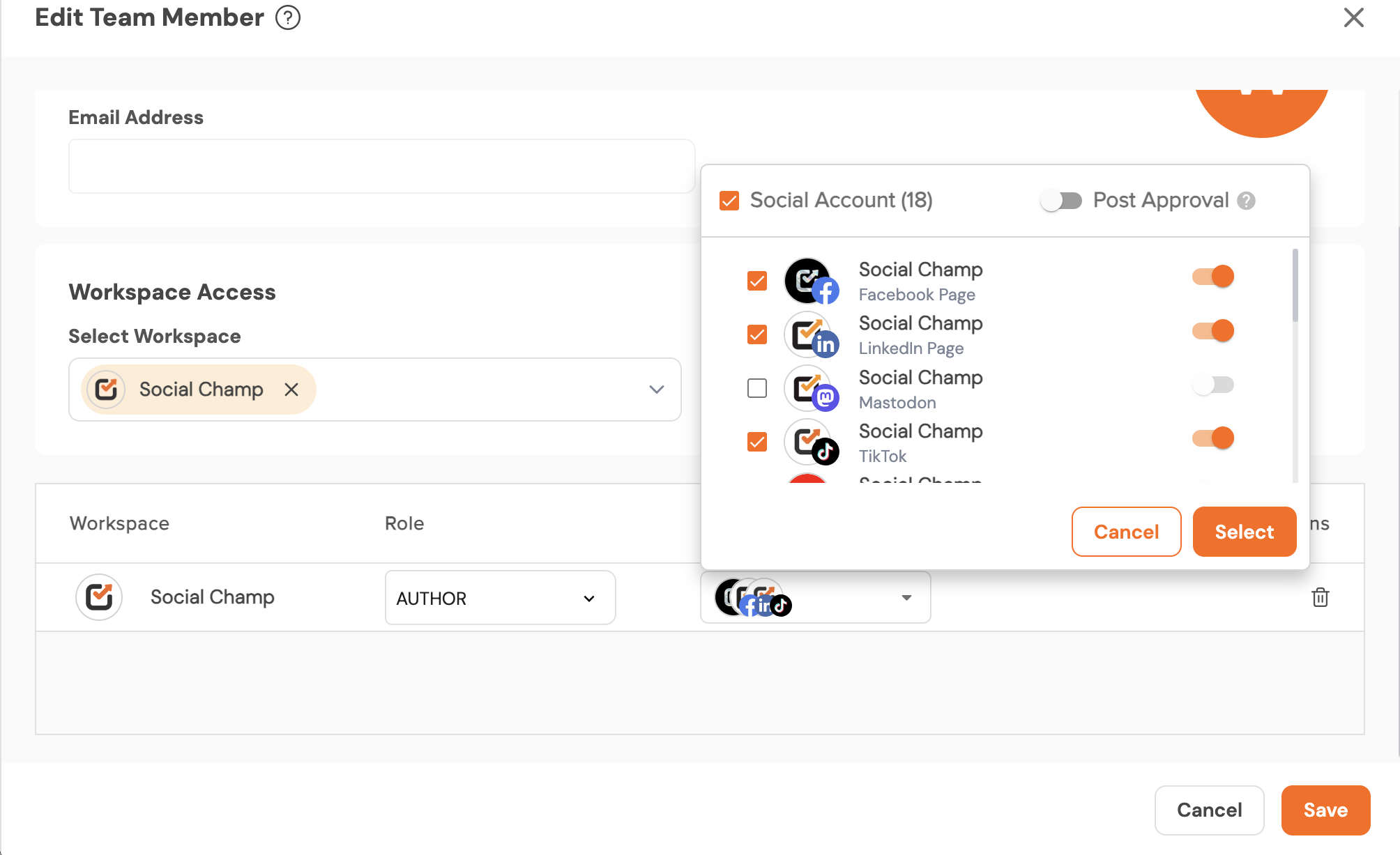
- Once you’ve configured the settings and saved the changes, all posts created by that Author for the selected account(s) will automatically require approval before being published.
Great! You’ve successfully set up the One-Step Approval Workflow for the Team member Level.
Get the Support you need
Having trouble? Got a question? We’re here to support you every step of the way. Email us at support@socialchamp.com, and we’ll get back to you.
Hey Champs, the One-Step Post Approval workflow. This guide will walk you through quickly and efficiently reviewing and approving posts. Read more